The Customer Loop · the Customer Ledger
The Customer Ledger — your customers’ numbers in one place your business owns
Import contacts from iPhone, Android or Excel in minutes, reviewed before saving. Groups, tags, duplicates merged, and a record for every customer.
On Business Basic · 46 SAR a month, billed yearly
Fnoon Al-Majd Advertising — a real customer page on AurCard
- The Customer Ledger
- The company’s contact list: import, groups, the source of every number, and consent. Not to be confused with the public AurCard Directory.
- Customer Custody
- The principle: every number collected by a door, a card or an employee is kept by the business, with its record of consent.
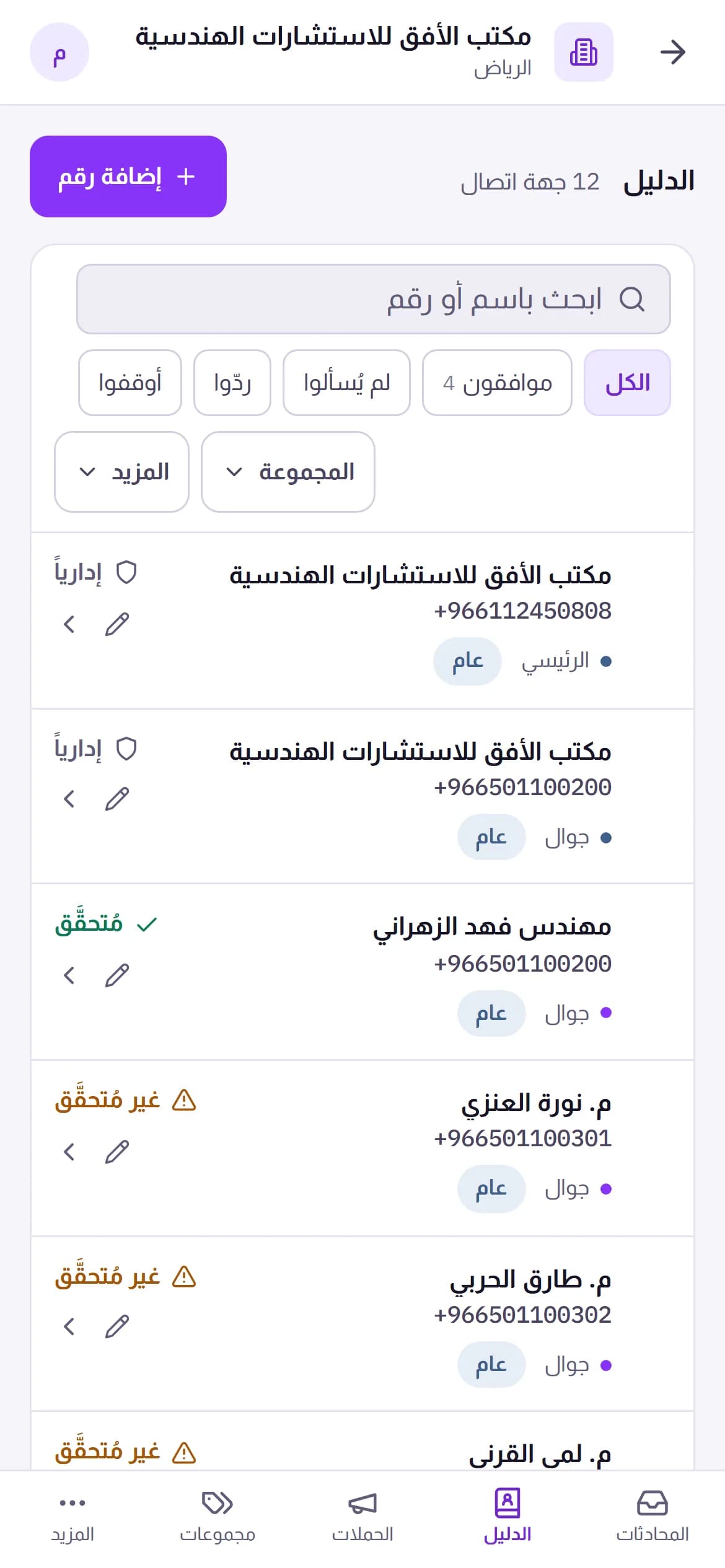
Your customers’ numbers today are scattered: on the manager’s phone, the salesperson’s phone, a notebook, an old spreadsheet. The Customer Ledger — “Directory” in the dashboard — gathers them in one place owned by the system, not by individuals. You export contacts from your phone as a file and upload it; AurCard reads everything the way the phone stored it — every number with its label, e-mail, company, address — and shows you what it will save before it saves: what was repaired, what is duplicated, what cannot be used. Then you sort people into groups and tags, search by any number in any form, and open any customer’s record: their numbers, conversations, campaigns, bookings and consents, in time order.
How it works
- 1
Export from the phone or Excel
The contacts file from an iPhone or Android, or an Excel/CSV table with columns in any order — it recognises the columns and shows them so you can correct a wrong guess.
- 2
Review before saving
One screen says, for every row: ready, format corrected, duplicate of so-and-so, or unusable — and why. You are the one who presses “import”.
- 3
Organise and work
Groups for people you message together, tags for what sets them apart, a branch for who collected them. From here the campaign starts and the conversation opens.
Why it matters
Every number the way the phone keeps it
Someone with a mobile, a work line and a home number? All kept with their labels, and you star the primary one for messaging. With every e-mail, address and birthday alongside.
Duplicates merged, not deleted
The duplicates screen shows the one person saved twice and merges them into a single row that keeps everything — undoable.
Deletion you can undo
Deleted by mistake? Ten minutes to undo with one click, then it stays in the platform trash for the retention period. Permanent erasure at a customer’s request is a separate, recorded path.
It knows where every number came from
Storefront sticker, an employee card, an import, a manual entry — the source is stored with the number, and the reports are built on it.
Common questions
- Does importing mean I can message everyone at once?
- No. Importing stores the numbers; marketing messages need consent on record or the notice mode with its terms. An imported number with no prior relationship is never notified — which protects your number before it protects the customer.
- Does an employee see the whole ledger?
- An employee sees “my numbers” — what they collected — and their branch, per their permission. The owner and admins see everything.
Available on the company plans (Business Basic and Business Pro). See pricing