Linking Your Social Media Accounts: One Place, Done Properly
Linking your accounts in one place saves customers searching for you, but too many scatter attention. Which accounts to link, how to order them, why a dormant one hurts, and how to link Instagram with Facebook.
Business Basic plan · 46 SAR a month, billed yearly
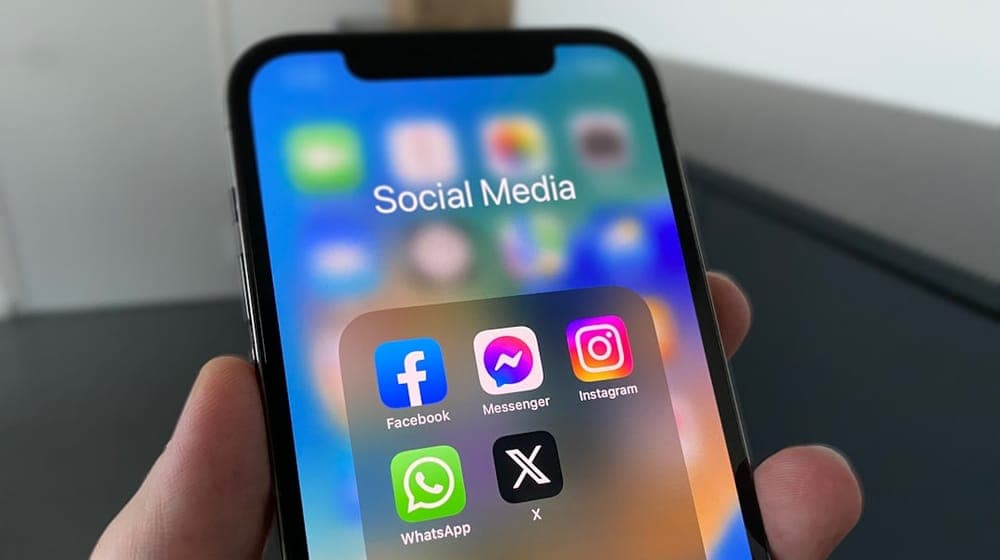
Linking your social media accounts means gathering the links to your profiles — Instagram, Snapchat, TikTok, X, LinkedIn, WhatsApp and the rest — in one place a customer opens with one tap, such as your business page or your work card, instead of leaving them to search for you among similarly named accounts. The rule that governs the choice: link the accounts you actually run and that serve your work, and leave the rest out. An account abandoned a year ago does more harm than good, because it tells the visitor your business has stopped.
What does "linking social media accounts" mean?
People use the phrase in two senses:
- Gathering your accounts behind one link: a page or card showing icons for all your profiles, so the visitor picks the one that suits them. That is most of this article.
- Connecting accounts to each other: such as linking Instagram and Facebook to post to both at once. There is a short section on that at the end.
Why a link beats an account name
Writing "Follow us: @handle" feels sufficient, but it is not. The visitor has to open the app, search, and pick your account out of lookalikes — and every step loses people. A link opens the account directly. The difference is not in the information but in the number of steps.
How to link your accounts to your business page
In AurCard, accounts are added on the business page itself, as customers see it:
- Open your company page from the dashboard; the page is the editor.
- Under the contact details, faded icons with a dashed outline show the platforms you have not added yet: WhatsApp, Instagram, X, Snapchat, TikTok, LinkedIn, Facebook, YouTube, Telegram and Pinterest.
- Tap a platform's icon and paste your profile link, and it appears for visitors straight away.
What you add on the company page also shows on every employee's card in the company identity, so nobody has to add the company's accounts themselves, and changing one link updates every card at the same moment.
Which accounts deserve a place

Ask three questions of each account before adding it:
- Have you posted there in the last two months? If not, hold it back until you return to it.
- Does it serve the person opening your page? A personal account of family photos has no place on a business page.
- Does it add something the page does not say? An account that repeats your page word for word gives no reason to tap.
The numerical rule: three active accounts are stronger than eight of which half are dormant.
Mainstream platforms are not the only option either: a designer may gain more from a portfolio platform, a restaurant from review and booking platforms. The test is where your customers actually look, not where the most users are.
And a business with no regular social presence is missing nothing: a page with a WhatsApp number that gets answered, a map location and clear services does its whole job. Worse than absence is creating accounts "because everyone has them" and then abandoning them.
Order: the most important first
The first two icons get most of the taps. Order them by what you want to happen:
- Want a direct conversation? WhatsApp first.
- Building a professional presence? LinkedIn first.
- Visual work — beauty, fashion, food, photography? Instagram or TikTok first, because the work itself is the argument.
- Selling a product? The store or catalogue first.
WhatsApp: a business channel, not a social account
In Saudi Arabia, WhatsApp is the main channel for doing business: most customer conversations happen there, and customers prefer it to a call or an email. That is why the WhatsApp button deserves a prominent place rather than a slot among the icons at the bottom.
The technical detail that matters: the number must be stored in international format. A number saved in local format fails for everyone opening your page from outside Saudi Arabia, and the owner never notices because they always test from inside the Kingdom. In AurCard every phone box has a country picker beside it, so the number is stored in full international form. And use a business number, not your personal one.
A dormant account hurts
A visitor who opens your account and finds the last post a year old concludes either that the business stopped or that you are careless with detail — and the second conclusion carries over to what they expect from your service. The rule: remove what you do not run. Removing it is tidying, not a loss.
Company accounts and employee accounts
The split that works: the company's accounts go on the company page and appear on everyone's card; an employee's professional accounts go on their own card. People whose personal presence is part of the job benefit from their professional profile — a sales rep who has built a LinkedIn network, a consultant known by name. Personal, non-professional accounts have no place on a work card. More in unified cards for sales teams.
The reverse direction: your page in your profiles' link field
Every platform gives you one link field in the profile description, and it is the most valuable digital space you own. Put your business page or card there: someone who reached your profile through a post finds prices, location, hours and a way to contact you in one tap. That is what turns a passing follower into a potential customer.
Linking Instagram with Facebook
If you mean connecting accounts to each other: Meta brings Instagram and Facebook together in its Accounts Center. From Instagram or Facebook settings, open Accounts Center, then Add accounts, and sign in with the other account. After that you can share a post or story to both at once. Other platforms have no such link between them, which is why one page gathering all the links remains the answer.
How to tell which accounts earn their place
Look at which links actually get tapped. AurCard analytics shows clicks on every link, per card and per branch. A link nobody tapped in two months competes with the used ones for limited attention; remove it or move it down. The link taking most of the taps deserves to move up. Reading the numbers is covered in measuring digital card performance.
Set a reminder every six months: tap every link yourself, remove what has stopped, and test from a device without the apps installed — some links open a sign-up page instead of the content.
Frequently asked questions about linking social accounts
How do I put all my accounts behind one link?
With one page showing icons for your accounts, and its link in each profile's description and in your messages. In AurCard that page is your business page, and the accounts also appear on your employees' cards.
Do the company's accounts appear on employee cards?
Yes. What you add on the company page shows on every employee's card in the company identity, and updates on all of them when you change it.
Why doesn't the WhatsApp button open for some customers?
Usually because the number is saved in local rather than international format. Save it with the country code, and test it from a number outside Saudi Arabia if you can.
How many accounts should I add?
The ones you actually run and post to regularly — three active accounts beat eight with half of them idle.
Read next
An auto-reply that does not annoy: how to write your after-hours messages
Four messages the owner writes once — the welcome, after hours, the menu, the handoff — and what makes a customer feel a person is behind them.
Subscription and Payment: Common Questions
Subscription questions repeat in similar forms: billing cycle, currency and VAT, payment methods, refunds, upgrades and renewal. Here are direct answers to the most frequent ones.
Which AurCard Plan Fits Your Business? Business Basic vs Business Pro
The difference between AurCard's two plans is not the kind of tools but the size: how many employees, branches and admins. Here is how to choose without paying for capacity you will not use.