The Booking and Appointments System
A booking system captures the appointment requests arriving after hours that vanish silently today. Here is how to set it up and how to cut no-shows.
Business Basic plan · 46 SAR a month, billed yearly
A booking system on your page does one important thing: it captures appointment requests arriving when nobody can answer the phone. The call at ten at night, at the weekend, or while your receptionist is with a customer in front of them — those requests vanish silently today, because the people making them do not call back. They call somewhere else. The system does not replace reception; it stops that leak. Three decisions determine whether it works: how many fields you ask for, whether confirmation is automatic or human, and how you remind people before their appointment.
Who needs one and who does not
Not every business benefits, and enabling it in the wrong place adds complexity for nothing.
Benefits: clinics, salons, fitness centres, consultants, home-service providers, restaurants taking table reservations — anyone selling defined time with a defined person.
Does not benefit: a shop serving whoever walks in, a fast-service restaurant, a store selling ready goods. Those need clear opening hours and an accurate location, not an appointment system.
The deciding question: is there something that can fill up? If your diary, your tables or your team's time is limited and booked in advance, a system helps. If you serve people as they arrive, it is administrative overhead with no return.
Requesting an appointment is not confirming one
A confusion that damages the experience more than any technical fault.
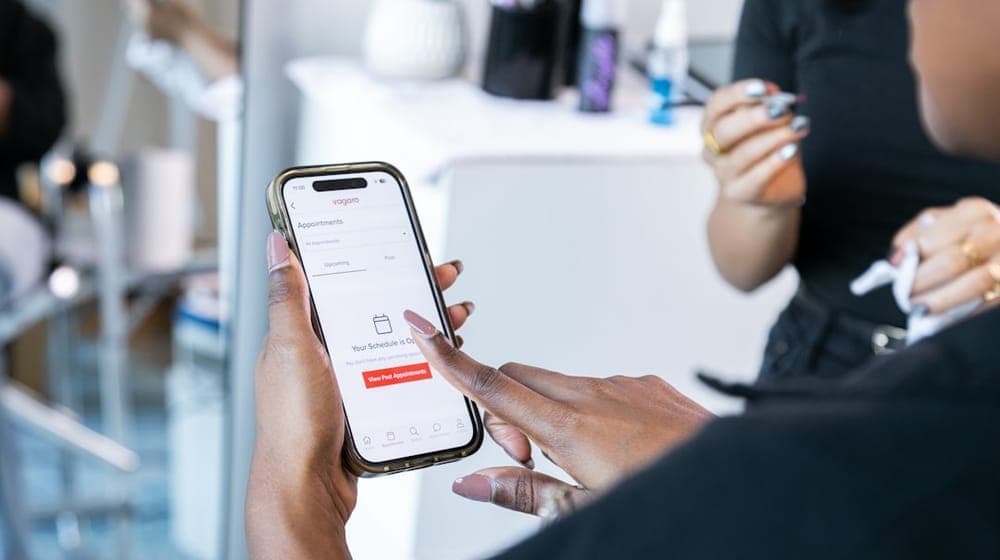
A page showing "Book now" when what actually happens is a request awaiting review creates a false expectation. Whoever pressed the button believes the appointment is confirmed and plans their day around it, and when someone calls two hours later to say the slot is unavailable, they conclude the business is disorganised — even though the process worked exactly as designed.
The fix is wording, not systems: write "Request an appointment", and state on the page when confirmation will arrive.
Then set a response time and keep to it. A business promising a reply within two hours and delivering beats one promising instant confirmation and taking a day.
Fields: three are enough
Every field you add reduces how many people finish. A fixed rule with no exceptions.
The practical minimum: name, mobile number, and the service or reason for the visit.
Add preferred time if your system offers defined slots.
What not to ask for on a first form: email, address, age, detailed history, and how they heard of you. Those are asked later when needed; putting them in the first form loses a share of people who would have booked.
In clinics specifically: do not ask for medical detail in a booking form. A general reason for the visit is entirely sufficient, and details are taken in their proper place.
Durations: the setting most often got wrong
The most expensive error in this system is setting one uniform duration for every service.
Services differ radically: a quick consultation is twenty minutes, a full treatment two hours. A system booking a fixed-length "appointment" produces a diary that does not resemble reality and collapses on the first busy day.
Set a duration per service, and use the actual duration rather than the ideal one. A service that takes an hour in practice is entered as an hour, not fifty minutes because it is "supposed" to finish then.
Add a short buffer between long appointments. A tightly packed diary with no gaps looks efficient on screen and falls apart at the first delay, with the morning's lost minutes accumulating until the last customer of the day pays for them.
Review durations after a month by comparing recorded time against actual. Most businesses discover two or three services always run longer than estimated, and correcting those alone fixes the whole diary.
Confirmation: automatic or human?
This depends on your business, and each has its place.
Automatic confirmation — the slot is fixed on request — suits standard services needing no triage: a haircut, a table, a training session. Fast and convenient for both sides.
Human confirmation — the request arrives and a person reviews it — is essential where requests need assessment: medical cases requiring triage, services whose duration varies by case, or projects requiring a quote.
The safest rule in sensitive sectors: the request arrives digitally, the confirmation is human. A case needing an urgent appointment must be seen by a person before being placed automatically in a queue three weeks out.
Reminders and reducing no-shows
A no-show is a total loss: the time was reserved, the staff member was there, and the slot cannot be sold to anyone else.
What actually addresses it:
A reminder the day before and another two hours ahead. These handle forgetting, which is the leading cause.
One-tap cancellation. This point is widely misunderstood: you are not trying to prevent cancellation, you are trying to learn about it early. Someone who knows they cannot come but dreads the awkward call simply does not appear. Make cancelling easy and you find out a day ahead instead of after the fact.
A ready waiting list. A slot released a day ahead can be offered immediately to someone who asked and found nothing.
A deposit for long services. A service blocking three hours justifies one, provided the policy is written and visible before booking rather than after.
A policy applied consistently. One enforced on one customer and waived for another generates more resentment than having none.
Who monitors incoming requests?
A managerial question that decides whether the system works or becomes an inbox nobody opens.
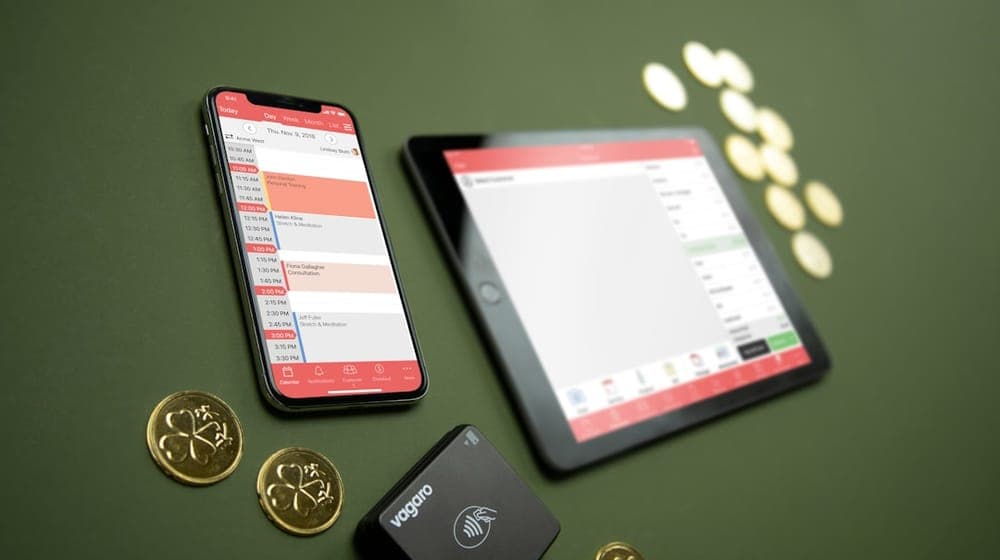
A request that arrives and goes unanswered within the stated window is worse than having no system, because the customer expected a reply based on a promise visible on your page. An unkept promise damages more than an absent one.
The arrangement that works: one named person responsible, a fixed time each day for reviewing requests — start and middle of the working day, say — and a known substitute for their days off.
In multi-branch businesses, decide whether requests arrive centrally or per branch. The first needs someone to distribute them; the second needs each branch to have its own owner.
Whatever the arrangement, write it down rather than leaving it understood. "Everyone monitors it" means in practice that nobody does.
Seasons multiply demand suddenly
In Saudi Arabia, specific seasons raise appointment demand sharply and predictably: the days before both Eids in salons, the start of the school year in clinics, wedding and occasion seasons, and the first days of holidays.
The recurring error is opening bookings for these seasons far too late. People plan weeks ahead, and a business that has not opened its diary loses the first of those who decided.
Practical preparation: open bookings at least two weeks before the season, with a defined capacity that closes automatically when full.
The second benefit is that a page clearly showing remaining availability halves the calls at peak. Someone who can see the day they wanted is full does not ring to ask.
What to show on the booking page
Information that prevents questions and reduces cancellations:
What the service includes, its duration and price. Vagueness here produces bookings that get cancelled once the customer learns the details.
The cancellation policy, clearly, with the acceptable notice period.
What to bring or prepare.
Location with access and parking details.
Who will provide the service, where a choice exists.
The numbers worth watching
Three figures tell you whether it works:
The ratio of booking-page opens to completed requests. A low ratio means a long form, unsuitable times, or missing information that stopped the decision.
Requested times that were unavailable. Repeated rejected requests for late evening slots point at hours worth considering.
No-show rate before and after reminders. The direct measure of whether what you implemented worked.
Reading these in context is covered in analytics: what the numbers tell you.
Start with one service
Do not enable booking across everything at once. Pick one service with a clear duration and enable it alone for a fortnight.
You will discover things planning never reveals: is the set duration sufficient, are the fields confusing, and who is actually monitoring incoming requests?
Then expand based on what you learned rather than what you assumed. Sector-specific detail is in online booking for clinics and digital booking and offers for salons.
With AurCard you enable booking for your services with their durations and prices, and requests arrive in one place inside the dashboard.
Read next
An auto-reply that does not annoy: how to write your after-hours messages
Four messages the owner writes once — the welcome, after hours, the menu, the handoff — and what makes a customer feel a person is behind them.
Subscription and Payment: Common Questions
Subscription questions repeat in similar forms: billing cycle, currency and VAT, payment methods, refunds, upgrades and renewal. Here are direct answers to the most frequent ones.
Which AurCard Plan Fits Your Business? Business Basic vs Business Pro
The difference between AurCard's two plans is not the kind of tools but the size: how many employees, branches and admins. Here is how to choose without paying for capacity you will not use.