The Smart NFC Sticker for Shops: Setup Guide
A smart sticker carries an NFC chip and a QR code, taking customers to your shop page in one tap. Here is how it works and how to install it right.
Business Basic plan · 46 SAR a month, billed yearly
A smart sticker is a small adhesive tag containing an embedded NFC chip, usually with a QR code printed on its face. You stick it to a surface in your shop — a table, the till counter, a window — and customers either tap their phone against it or scan the code, opening your shop page: the menu, the catalogue, opening hours, location, bookings, or a review page. Installing one needs no power, no network and no technician: clean the surface, peel the backing, stick it down, test it with your phone. Two minutes. The only decision that deserves real thought is not the installation but where it goes.
How it differs from a plain QR sticker
The difference is that a smart sticker combines two routes in one object. Anyone with an NFC-capable phone taps; anyone without scans the code. Nobody leaves empty-handed.
The second and more important difference is that its destination is changeable from the dashboard. The sticker holds a fixed link, and you decide what that link shows: the Ramadan menu during Ramadan, a summer offer in summer, a review page during a period when you want feedback.
Which means a sticker installed once serves different campaigns for years without being touched. That is a significant economic point: the cost is paid once and the return recurs.
What the customer actually opens
The destination depends on your business, and it deserves a conscious decision rather than a default:
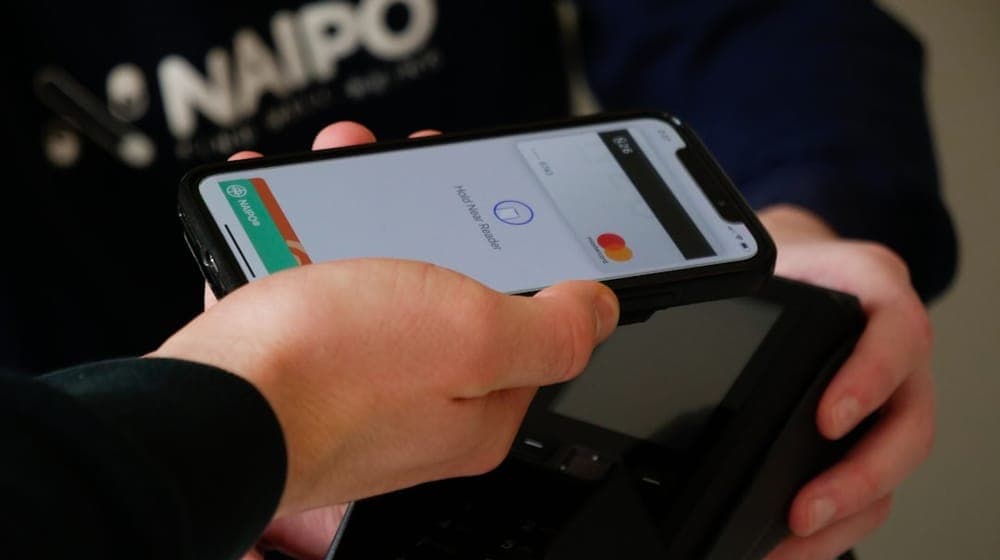
Restaurants and cafés: the menu with prices and photos. This is the use that removes the most real work from staff.
Clinics: bookings, opening hours, specialisms and location.
Salons: the service list with prices, and appointment booking.
Retail: the catalogue, current offers, and the shop's accounts.
Every business: a review page, which is the highest-value destination for a sticker placed near the exit.
The rule that works is one destination per sticker, chosen to suit its position. The table sticker opens the menu; the exit sticker opens reviews. A sticker that opens a page with ten options makes the customer decide instead of act.
Choosing the position: the decision that matters
This is where it is won or lost. The criteria that determine whether a position works:
Within arm's reach. Nobody will stretch over a high counter or bend down to reach a sticker. Comfortable reach from a seated or standing position is the standard.
At a moment of waiting. The best positions are where a customer is empty-handed and waiting: a table before the order arrives, the queue at the till, a waiting-room chair. A customer in a hurry taps nothing.
Visible without searching. A sticker at eye level or table level gets seen; one on an underside does not.
Not competing with another sticker. Three side by side means none of them gets used.
Positions are covered in full in where to place NFC stickers in your shop.
Surfaces: what breaks a sticker
This is the technical point that causes the most unexplained failures, and the cause is simple.
Metal disables NFC. A metal surface disperses the magnetic field so insufficient energy reaches the chip. A sticker on a metal table or a metal till unit may not work at all. The fix is a tag designed for metal, which includes an isolating layer between chip and surface.
Glass works, with one caveat: the sticker must be on the face the customer touches. Placed inside behind thick glass, the effective range suffers.
Wood, plastic and card cause no problems at all, and are the best surfaces.
Wet or greasy surfaces — common in food service — cause adhesion failure rather than a technical one. Clean with a degreasing cleaner and dry completely before sticking.
Installation steps
- Choose the position and hold the sticker there without peeling it, testing with your phone in the proposed spot.
- Clean the surface and dry it. Light dust is enough to make the adhesive fail within a week.
- Peel the backing without touching the adhesive face.
- Apply from the centre outwards and press with your whole hand for ten seconds.
- Leave it an hour before cleaning around it — most adhesives need time to reach full strength.
- Test it on both an iPhone and an Android, and scan the QR code too.
Testing: the step everyone skips
A great many stickers are applied and never tested, leaving them non-functional for months without the owner knowing.
Proper testing is not tapping it once with your own phone. Try at least two different devices, and from the customer's position rather than yours — standing where they stand, not leaning over it.
One important note: if it does not work first time, the cause is usually the antenna position on that particular phone rather than the sticker. Slowly pass the top of the phone's back across it, then the middle, before concluding anything.
Training staff: the human part
This gets neglected, and it decides the difference between a sticker that works and one that is forgotten.
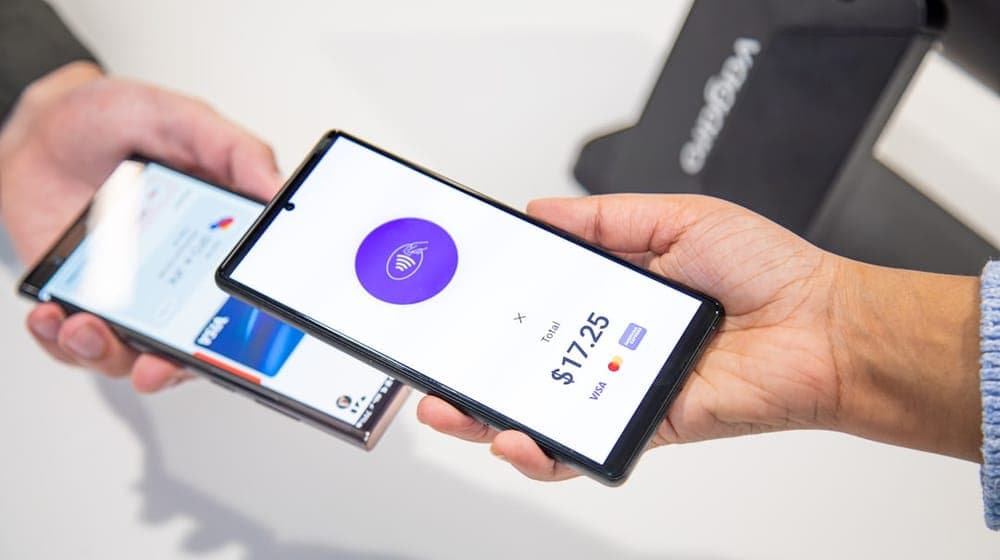
A sticker attracts nobody by itself. Customers do not inspect tables looking for them. What makes someone use it is a sentence from a staff member: "you can see the full menu if you hold your phone here", or "if you were happy with today, you can review us from here".
One sentence at the end of service converts a sticker from decoration into a tool. Install ten and tell nobody on your team, and you have bought decoration.
When a sticker fails despite correct installation
In fairness, some situations defeat even a perfect installation.
When there is no reason to use it. A sticker leading to a page carrying only the shop name and phone number will not be used twice. The destination must carry value: a menu, an offer, a booking, something the customer needs right now.
When the business is inherently rushed. In a shop where customers spend ninety seconds, a sticker helps less than in a café where they sit for half an hour.
When a faster alternative exists. If the menu is on the wall directly in front of the customer, they will not take out a phone to read it.
Cost and return
A sticker is a one-off cost, and a relatively low one against recurring print. Printed menus in particular get replaced at every price or item change, whereas a sticker is never replaced because what changes is the page behind it.
The clearest calculation for a restaurant owner: how many times a year do you reprint menus, and how many copies each time? Once that is worked out, the comparison needs no further argument.
The full costing is in reducing printing costs.
Start with one
The practical advice for a first attempt: do not buy twenty stickers and scatter them. Start with one, in the best position you can think of — usually a table or the till counter — leave it a fortnight, and look at the open count.
Then decide. If it works, repeat the pattern in similar positions. If it does not, change the position or the destination before repeating the mistake twenty times.
With AurCard you can point a sticker at your shop page and change what it opens — menu, offer, or review page — without ever touching the sticker.
Read next
The smart sticker: where to put it, and why the storefront and the till give different numbers
Three places, three different intentions in the customer’s head — and how to read each sticker’s numbers to know which deserves a second one.
Digital Coupons and Offers for Shops
A digital offer expires on its own date and can be measured, unlike a poster in the window. Here is how to build one and know whether it worked.
How Shops Collect Customer Reviews
Reviews do not arrive by themselves — they are asked for, at the right moment. Here is how to collect them without nagging and how to answer bad ones.