The Customer Loop · the Customer Ledger
The Customer Ledger — your customers’ numbers in one place your business owns
Import contacts from iPhone, Android or Excel in minutes, reviewed before saving. Groups, tags, duplicates merged, and a record for every customer.
Business Basic: 45.75 SAR a month, paid yearly at 549 SAR incl. VAT · 1.55 SAR a day
Fnoon Al-Majd Advertising — a real customer page on AurCard
- The Customer Ledger
- The company’s contact list: import, groups, the source of every number, and consent.
- Customer Custody
- The principle: every number collected by a door, a card or an employee is kept by the business, with its record of consent.
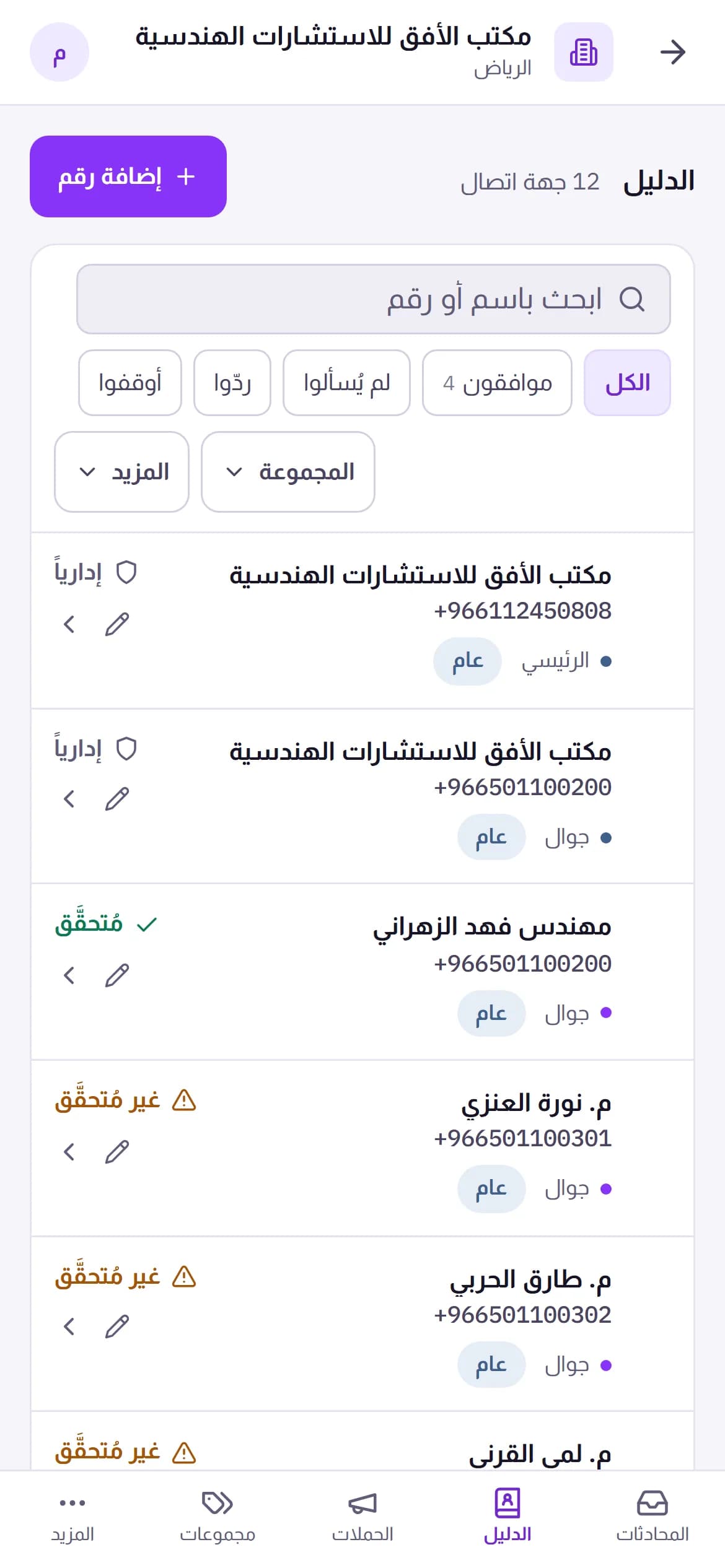
Your customers’ numbers today are scattered: on the manager’s phone, the salesperson’s phone, a notebook, an old spreadsheet. The Customer Ledger — “Directory” in the dashboard — gathers them in one place owned by the system, not by individuals. You export contacts from your phone as a file and upload it; AurCard reads everything the way the phone stored it — every number with its label, e-mail, company, address — and shows you what it will save before it saves: what was repaired, what is duplicated, what cannot be used. Then you sort people into groups and tags, search by any number in any form, and open any customer’s record: their numbers, conversations, campaigns, bookings and consents, in time order.
How it works
- 1
Export from the phone or Excel
The contacts file from an iPhone or Android, or an Excel/CSV table with columns in any order — it recognises the columns and shows them so you can correct a wrong guess.
- 2
Review before saving
One screen says, for every row: ready, format corrected, duplicate of so-and-so, or unusable — and why. You are the one who presses “import”.
- 3
Organise and work
Groups for people you message together, tags for what sets them apart, a branch for who collected them. From here the campaign starts and the conversation opens.
Why it matters
Every number the way the phone keeps it
Someone with a mobile, a work line and a home number? All kept with their labels, and you star the primary one for messaging. With every e-mail, address and birthday alongside.
Duplicates merged, not deleted
The duplicates screen shows the one person saved twice and merges them into a single row that keeps everything — undoable.
Deletion you can undo
Deleted by mistake? Ten minutes to undo with one click, then it stays in the platform trash for the retention period. Permanent erasure at a customer’s request is a separate, recorded path.
It knows where every number came from
Storefront sticker, an employee card, an import, a manual entry — the source is stored with the number, and the reports are built on it.
Common questions
- Does importing mean I can message everyone at once?
- No. Importing stores the numbers; marketing messages need consent on record or the notice mode with its terms. An imported number with no prior relationship is never notified — which protects your number before it protects the customer.
- Does an employee see the whole ledger?
- An employee sees “my numbers” — what they collected — and their branch, per their permission. The owner and admins see everything.
Available on the company plans (Business Basic and Business Pro). See pricing
Read next
Try it on your business
Instant activation, an invoice after every payment, and a refund within 14 days of your first payment, under the terms.