What Is a Digital Business Card? How It Works and How It Beats Paper
A digital business card is a live page people open with a scan or a tap, updated whenever you like without reprinting. What it is, how it works, how it compares to paper, and what it costs.
Business Basic plan · 46 SAR a month, billed yearly
A digital business card is a web page with a permanent link that holds your name, title and contact details. The other person opens it on their phone by scanning a QR code, tapping an NFC card or sticker, or following a link, then saves your details to their contacts in one press — no app needed. The essential difference from paper is that it is live: change your number, title or address and everyone who opens it afterwards — including people you met months ago — sees the current version, with nothing reprinted.
A note on terms: a "digital card" here means a contact and introduction card, not the virtual bank card a bank issues for online payments.
What is a digital business card, in short?
- What it is: a professional introduction page on a phone, in place of a paper card.
- How it opens: QR code, NFC tap, a link in a message, or from Apple and Google Wallet.
- What the recipient does: calls, messages you on WhatsApp, opens your location in Maps, and saves the contact in one press.
- What sets it apart: it updates instantly, never runs out, and tells you how often it was opened and saved.
The difference is what happens after the meeting
A paper card's job ends the moment it changes hands: it goes into a pocket, then a drawer, then it is forgotten. If the person needs your number three months later, they have to remember where they put it.
A digital card's job starts after the meeting. The link sits in a WhatsApp thread or in their contacts, where it can be searched. And when it is opened, it offers buttons that actually do something — call, WhatsApp, map, save contact — instead of printed digits to retype.
What is on a digital business card?
- Identity: name, job title, company, a photo or logo.
- Contact methods: mobile, WhatsApp, email, and professional profiles such as LinkedIn.
- A short bio explaining what you do in words an outsider understands — see how to write a professional bio.
- A save-contact button that writes your details straight into their phone book.
For a business, the page grows into its shopfront: services or a menu with prices, opening hours, a map location, appointment booking and customer reviews. At that point the card is no longer just an introduction; it is an operational tool.
How does a digital business card work? Four ways to share it
- QR code: on the shop window, the table, or the last slide of a presentation. A phone camera is enough.
- NFC tap: a card or sticker the other person holds their phone to, the smoothest option face to face. The trade-offs are in NFC vs QR.
- A link: in WhatsApp, email, your email signature or your CV. And a link works at a distance: a client in Jeddah gets your details in a second while you are in Riyadh.
- Phone wallet: kept in Apple or Google Wallet, one swipe away.
These are not alternatives: QR for the public, NFC for the meeting, the link for everything after.
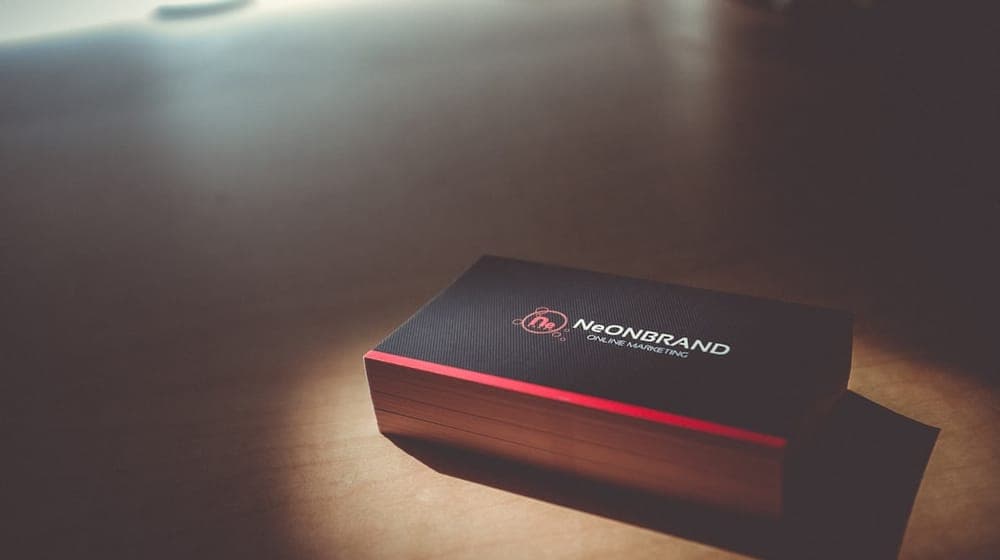
Digital vs paper business cards
| Aspect | Paper card | Digital card |
|---|---|---|
| Updating | Reprint the whole batch | Edit once, live for everyone |
| Running out | Needs reordering | Never runs out |
| Sharing | By hand, in person | QR, NFC or link — even remotely |
| Saving | Typed in by hand | One press |
| Measurement | No idea what happened | Opens, saves and clicks are visible |
| A typo | Lives until the batch is gone | Fixed in a minute |
One wrong digit on a printed card means binning the batch or handing out the wrong number — both expensive in their own way.
Digital cards for companies and teams
 Photo by Samsung Memory on Unsplash
The arithmetic changes once it is not one person. In a company of twenty, paper means twenty designs that are supposed to match, and inevitable drift: an old logo here, a title written differently there, and someone who ran out last month writing their number on a scrap of paper.
In AurCard, an employee's digital business card is a custody card: the company owns it the way it owns a work laptop. The company's logo, colours and address are drawn from the company page and locked, so a new company number or address reaches every card at the same moment. The employee fills in what is theirs, and their edit is approved before it is published. The day they leave, one click stops the card, and the numbers they collected stay in the company's customer ledger. For people who meet clients all day, an NFC card opens their card with a tap.
How much does a digital business card cost?
The cost of paper is not the printing alone: add design, proofing, a reprint at every change of title, number or brand, and the copies that get lost. With normal staff turnover, that cycle repeats several times a year.
In AurCard, employee cards are part of the business plan rather than a separate product: Business Basic at 549 SAR a year (about 46 SAR a month), or Business Pro at 899 SAR a year for a bigger team and more branches. One yearly subscription, in Saudi riyals including VAT in Saudi Arabia and in US dollars outside it, and an extra employee is added when you need one at 179 SAR a year. Every plan is paid, and every subscription carries a 14-day money-back guarantee. Details are on the pricing page.
The question that settles it is not "which is cheaper today" but how many times will I reprint this year?
When paper still makes sense
Paper is not dead. It still earns its place at exhibitions where people expect something physical, and in sectors where a beautifully produced card is part of the first impression. The practical answer for many is combination: one paper card carrying a QR code that leads to the digital page, printed in far smaller runs because it no longer carries anything that can go out of date.
Privacy: what the other person sees
You choose what is shown, field by field. It is common for an employee to show a work number and company email and keep a personal mobile hidden entirely. And the meaningful difference from paper: a digital card can be withdrawn. A printed card cannot be recalled; a page can be edited or switched off whenever you like.
Where to start
Start with one card and fill in only the essentials: name, title, one contact method you actually answer, and a two-line bio. An incomplete card that gets used beats a perfect one that never launches. The steps are in how to create a digital business card. After a fortnight of real use you will know what is genuinely missing.
Frequently asked questions about digital business cards
Does the person receiving a digital business card need an app?
No. The page opens in their phone's browser, and saving the contact happens on the phone itself.
What if their phone has no NFC?
The QR code and the link work on essentially any modern phone, which is why the code sits beside the sticker or on the card itself.
Is a "digital card" the same as a "digital business card"?
Yes: an introduction and contact page in place of a paper card, also called an electronic or virtual business card. A virtual bank card is something else entirely.
Is AurCard's digital business card free?
No. Every plan is a paid yearly subscription, and instead of a trial each subscription carries a 14-day money-back guarantee from the date of payment.
What happens to an employee's card when they leave?
The company stops it with one click: its link answers with the company page, the employee's access ends, and the numbers they collected stay with the company.
Read next
How Much Does a Digital Business Card Cost — and How Does It Compare to Print?
Paper looks cheaper because you only see the print shop’s invoice. Here is what a digital card actually costs, and a four-step method to work out your own print cost with your own print shop’s numbers.
Digital Business Cards for Companies in Saudi Arabia: The Complete 2026 Guide
A company digital business card is not a paper card on a screen: it belongs to the business, carries its identity, saves to the customer’s phone in one press, and stays with the company when the employee leaves. What to know before you choose.
How to import your customers’ numbers from iPhone and Android in five minutes
Export contacts from the phone, upload the file, review what will be saved before it is — and what importing does not mean.