Do Customers Need an App to Read NFC?
No — NFC reading is built into the phone itself and needs no app. Here is what a customer actually needs, which devices work, and what to do if not.
Business Basic plan · 46 SAR a month, billed yearly
No, a customer needs no app at all. Reading NFC tags is built into the phone's operating system, in the same way a camera's ability to take photographs is. The customer brings their phone near the tag, a notification appears at the top of the screen, they tap it, and the page opens in the browser already on their device. No download, no sign-in, no special permission. That single fact is what makes the technology practical in a shop: any step requiring an app download loses the overwhelming majority of people, and here that step does not exist.
Where the confusion comes from
A fair question: why do so many people assume an app is required?
Partly because in the technology's early years some devices genuinely did need a separate reader app — particularly iPhones, before background reading became available. Anyone who tried it then kept that impression.
And partly because the word "smart" in "smart sticker" suggests a complicated system needing configuration. The reality is the opposite: the tag is an inert object holding a link, and all of the intelligence lives in the page it points at, not in the tag.
The distinction that resolves everything
The key is to separate two parties.
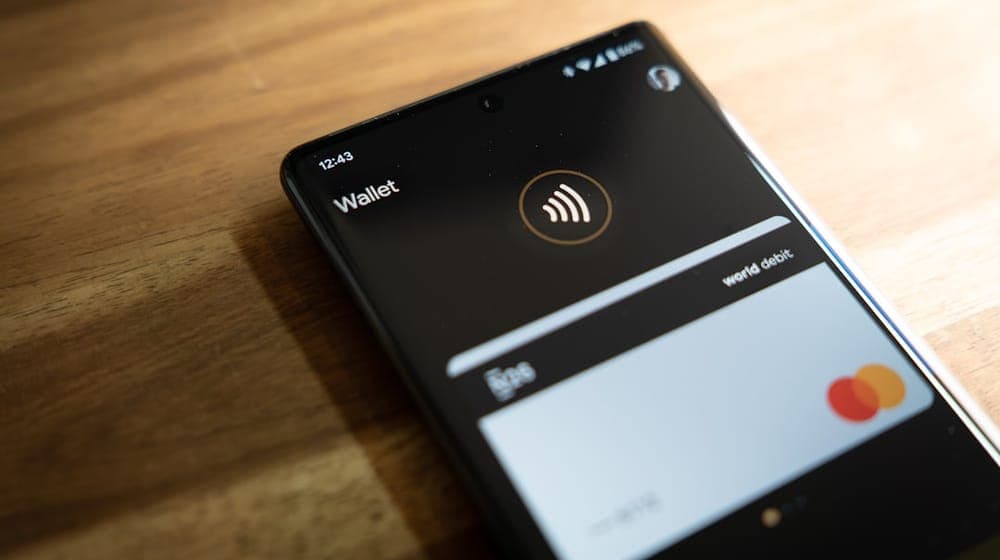 Photo by Mika Baumeister on Unsplash
The card or shop owner — you — needs an account to build the page, manage it and change what it says.
The customer reading it needs nothing whatsoever. No account, no app, no registration. They tap and they see.
That distinction dissolves most questions in this area. An account is a management tool for you, not a condition imposed on whoever receives.
What the customer actually needs
Three conditions only, all of them ordinary:
A device supporting NFC — present in recent iPhones and most mid-range Android phones and above.
The feature enabled. On iPhone it is always on and cannot be disabled. On Android it may need switching on in settings, though it is enabled by default on most devices.
An internet connection to load the page. The tag itself needs no network, but the page it leads to comes from the internet.
That third condition is the one people forget, and it explains most "I tapped and nothing happened" incidents in basements and underground car parks.
How iPhone and Android differ in practice
On iPhone, recent devices read the tag in the background automatically, provided the screen is on and unlocked. A notification appears at the top, the user taps it, and the page opens. The antenna sits near the top edge of the back.
On Android, the mechanism is similar but the experience varies between manufacturers. Some devices open the link directly with no intermediate notification; others show a confirmation. The antenna is usually around the middle of the back, and this is the difference that confuses people more than anything else.
Antenna placement is the prime suspect in apparent failures. Somebody tapping with the bottom of their phone concludes the tag is broken, when the only problem was where their hand was.
Devices that do not support NFC
In fairness, there is a segment for which tapping will not work: very low-cost devices, some older phones, and a few where the feature has been disabled.
That segment is not large, but it is not zero either. It is the fundamental reason why relying on NFC alone is an incomplete decision for a shop serving the general public.
The solution is not technical but design-based: put a QR code on the sticker itself. Anyone for whom tapping fails scans instead, and the outcome is identical. The full comparison is in NFC vs QR.
What to say when a tap does not work
This happens, and how you handle it shapes the impression more than the technology does.
First rule: do not try more than twice. Repeated attempts in front of a customer create an awkwardness that lingers far longer than whatever page you were trying to show.
Second rule: move to the alternative immediately with a simple line that saves face for both of you — "you can scan the code here, it's quicker." Do not explain antennas; the customer does not care why.
Third rule: if it fails with several customers on the same day, the problem is your tag rather than their phones. Test it straight away.
What the customer sees, step by step
It helps to picture the experience from the customer's side rather than yours, because that is what decides whether they finish it.
They bring their phone near the tag without knowing what will happen. A small banner appears at the top of the screen carrying the page address — and the domain name is the first thing they read. Then they decide whether to tap.
That small moment matters more than it appears. A customer seeing a clear, comprehensible address taps without hesitation; one seeing a long link full of random characters becomes suspicious and stops. Which makes a short, readable link a matter of trust rather than aesthetics.
After the tap the page opens, and your work is judged within two seconds: a fast, clear page gets read, a slow or crowded one gets closed. Heavy pages built around large images are the single most common cause of failure in premises with weak coverage.
Tapping a tag is not paying
A common confusion worth addressing, because it creates anxiety in the wrong place.
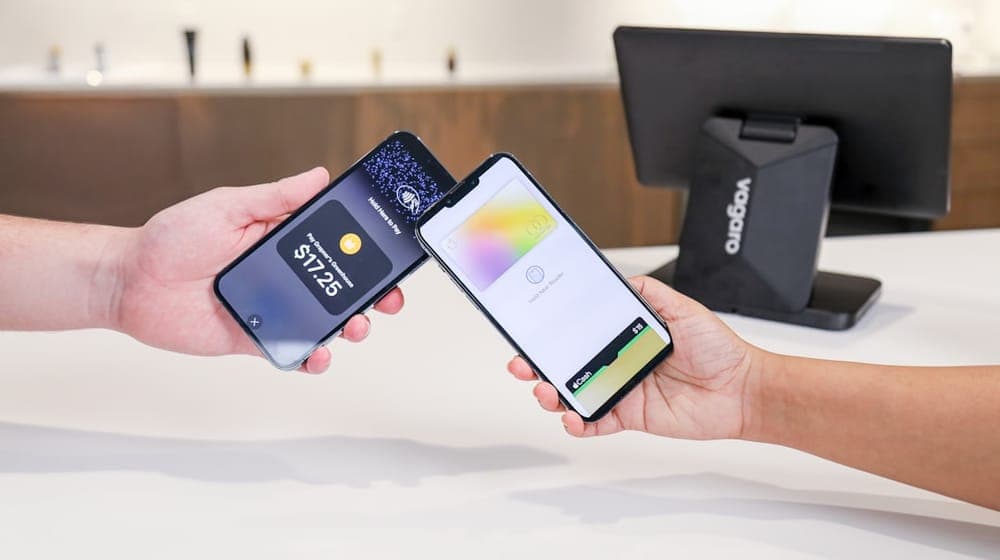
Some customers hesitate to bring their phone near any tag, assuming it relates to payment and that a tap might take money. The worry is understandable, since payment is the technology's most famous use.
But the two mechanisms are entirely separate. Payment runs through a secured wallet app, requires verification — fingerprint, face or PIN — and only completes with an approved payment terminal. A business-card tag holds a text link and nothing more, and cannot reach any payment method on the device.
The sentence that reassures a hesitant customer is simple: "this just opens the menu, it's nothing to do with paying." Saying it saves a long explanation.
Do not assume familiarity
Anyone working with this daily forgets that many people have never used an NFC tag in their life, even while paying by phone regularly.
The gap is not capability but expectation. Customers do not expect a sticker on a table to be tappable, because they are used to stickers as decoration or warning. Which is why a line of text on the sticker — "hold your phone here" — does more than any technical improvement.
The practical lesson is that low usage is usually not a device-compatibility problem. Before concluding that your customers' phones do not support the technology, make sure they know there is something there to tap.
Why this matters commercially
Every condition you place on a customer costs you a share of them. This is a fixed rule of any user experience.
Ask them to download an app and most stop. Ask them to register and most of the remainder stop. Ask for an email address and many hesitate.
The strength of NFC is that it removes all of those conditions: one tap opens a page. That is precisely why it spread through payments before anything else — the shortest path is the one that actually gets used.
Which is why the answer to "does it need an app?" is not a technical footnote but the central advantage of the whole technology.
Questions shop owners ask
Does the customer need an AurCard account to see my page? No. The page is public and opens like any web page.
Is customer data recorded when they tap? No. The page opens as any page does; nothing is read from their device and no data is taken from them unless they choose to fill in a form.
Does the tag work without internet in the shop? The tag needs no network, but the customer's phone needs a connection to load the page. If coverage inside your premises is poor, that is worth addressing, because it defeats the whole idea.
Does it work with older devices? Often not with very old ones — and the QR code is the fallback.
Do staff need training? They need one sentence to say to customers, not training. And that sentence matters more than the sticker.
In summary
The short answer: no app, no account, no setup. A modern phone, an internet connection, and one second.
The longer answer: design on the assumption that some of your customers will not be able to tap, and always place a QR code alongside. Do that and the question never arises, because every customer finds a route that suits the phone in their hand.
Installation and placement are covered in smart stickers for shops.
With AurCard the tag and the QR code lead to the same page, so customers reach it with whatever device they carry.
Read next
The smart sticker: where to put it, and why the storefront and the till give different numbers
Three places, three different intentions in the customer’s head — and how to read each sticker’s numbers to know which deserves a second one.
NFC Sticker Maintenance and Lifespan
An NFC tag has no battery and no moving parts, but installation and environment decide its life. Here is what damages one and how to check yours.
NFC Cards for Teams and Employees
NFC cards for a team mean one identity, central updates, and instant deactivation when someone leaves. Here is how to roll them out without chaos.